Allegro in English on iPhone: How to Read Listings, Delivery Options and Seller Messages When Polish Gets in the Way
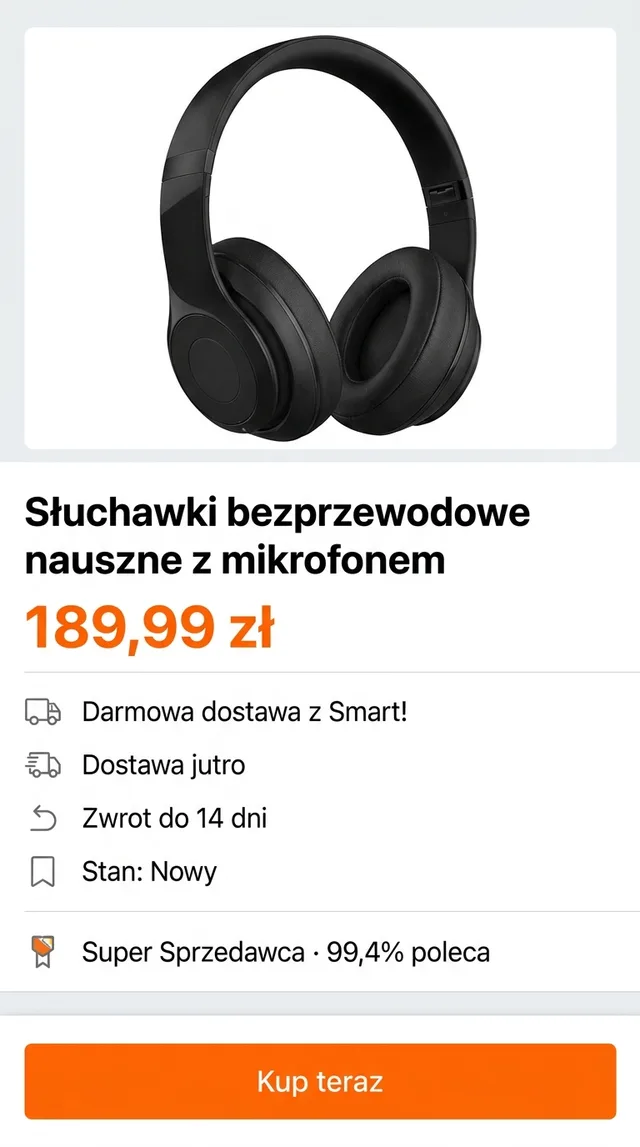
You found the headphones you want on Allegro for 189,99 zł, with a green badge, a delivery promise and a button that says “Kup teraz”. If you moved to Poland for work or study, that is about where the confidence ends. Searching for Allegro in English usually means one thing: you want to buy from Poland’s biggest marketplace without guessing what the listing, the delivery options and the seller are telling you.
Here is what English support exists, and how to read the rest on your iPhone.
Is there an Allegro English version?
Check before you install anything else. Allegro has expanded internationally, and depending on where and how you open it you may see an English option or machine-translated content in places. Look in three spots:
- The Allegro app settings. Open your account and look for a language option. Apps change, so look rather than assume.
- The iOS per-app language. In Settings, find Allegro in the Apps list and look for a Language row. It only appears if the app ships in more than one language and you have more than one preferred language set.
- The website in Safari. allegro.pl works in a browser, and Safari’s page translation (tap the page menu, then Translate) handles Polish text reasonably well.
At the time of writing, much of the Polish marketplace still arrives in Polish even when the menus don’t: listing titles, descriptions, parameter tables, seller policies and every message a seller types. Safari also can’t help once you’re inside the native app, or when a product description is a set of images.
When the menus aren’t enough: a floating translation window
For everything that stays Polish, PiP Translate (App Store name: PiP Screen Translate) gives you a translated copy of the screen in a separate window. You start an iOS screen broadcast from the app, switch to Allegro, and a Picture in Picture window appears alongside it showing the same screen in English. The Allegro app underneath is not changed; you still tap its Polish buttons.
Set Polish as the source language rather than Auto. If the language guess is wrong, the text can come back untranslated. Drag the window to a corner, pinch to resize it, or swipe it off the edge when it covers something you need. Text recognition happens on the phone, and only the recognised text goes to the cloud for translation.
 PiP Translate
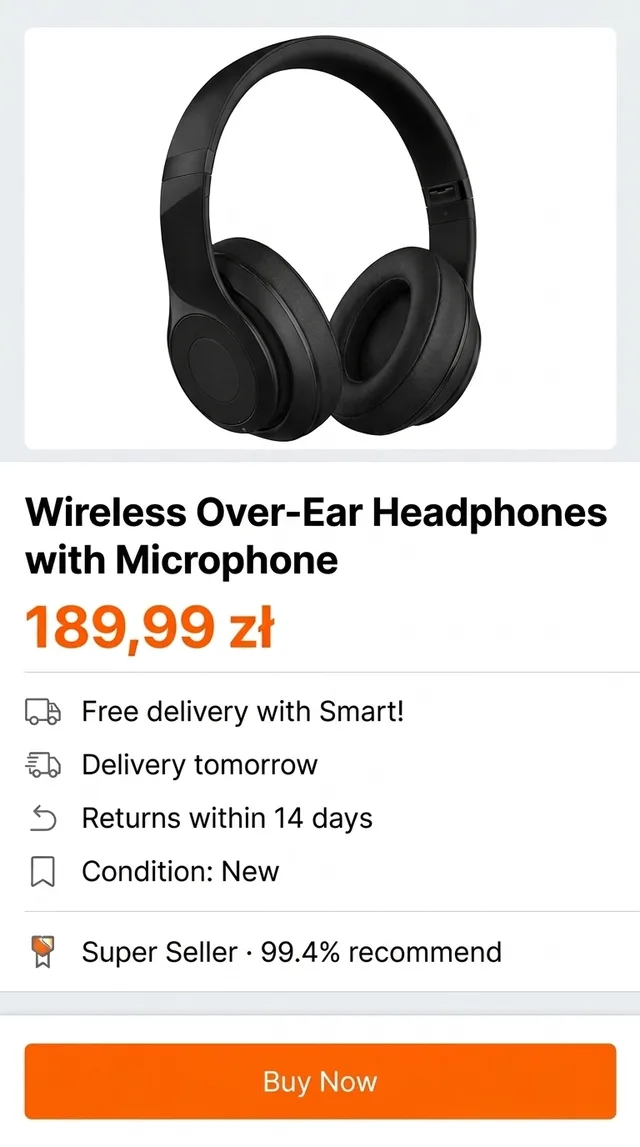
A Polish product page for wireless headphones underneath, the same page in English in the floating window
The longer explanation of how this works is in translate your iPhone screen live.
Reading a listing: price, condition and the seller
Allegro listings are structured, which helps. On a product page, read in this order:
- The condition line. “Stan: Nowy” is new, “Stan: Używany” is used. A used item’s real condition lives in the description, so scroll down and read it.
- The seller block. On the headphones above it says “Super Sprzedawca · 99,4% poleca”: a Super Seller badge, and the share of buyers who recommend this seller. Tap through to recent feedback if the item is expensive.
- The parameters table. Model, colour, warranty type. Short labels translate cleanly.
- The description. Often long, sometimes images of text. The floating window reads both, since it works from what is visible on screen.
Search results are the same exercise at speed: scroll, pause a second, read the English column of prices and titles, and open only the ones that match.
Delivery: Smart!, Paczkomat and “Dostawa jutro”
Delivery is where Allegro’s Polish gets dense, because every listing shows several options with different prices and dates.
- “Darmowa dostawa z Smart!” means free delivery with Smart!, Allegro’s paid delivery programme. Whether it applies to you depends on having Smart! and on the listing’s conditions, so read the delivery panel rather than the badge.
- “Dostawa jutro” is an estimate of delivery tomorrow, not a guarantee.
- Paczkomat is a parcel locker. Most expats end up using them, since you collect with a code whenever you like instead of waiting in for a courier. At checkout you pick a specific locker, and the pickup notification that follows is usually in Polish too.
The floating window stays up through checkout, so you can compare options side by side instead of screenshotting each one.
Checkout, returns and messages with the seller
At checkout you confirm the address, delivery method and payment. You may also see a checkbox for a faktura, an invoice, which matters if you’re buying for a business.
Payments disclaimer: translation helps you understand the screen. It does not confirm what you’re paying. Check the total, delivery fee and payment method yourself before you tap the final button, and use Allegro’s help pages or your bank for anything that looks wrong.
For returns, “Zwrot do 14 dni” on the headphones means returns within 14 days. Terms vary by seller and by whether the seller is a business, so read the returns section on the listing itself before buying something you might send back.
Seller messages are where screen translation helps most. A thread of short Polish replies about sizing or a delayed parcel reads naturally in the floating window. It reads; it doesn’t write, so compose replies yourself. Short, polite Polish from any text translator is fine.
Allegro words worth recognising
The floating window translates these, but knowing them by sight speeds up browsing.
| Polish | What it means |
|---|---|
| Kup teraz | Buy now, at the listed price |
| Stan: Nowy / Używany | Condition: new / used |
| Darmowa dostawa | Free delivery (check the conditions) |
| Smart! | Allegro’s paid delivery programme |
| Paczkomat | Parcel locker you collect from with a code |
| Zwrot | Return |
| Faktura | Invoice |
| Sprzedawca | Seller |
Limits, and the rest of your Polish shopping apps
- The translation trails the screen by about one to two seconds. Scroll, pause, read.
- Small text in product photos comes out better if you zoom in first.
- Some banking and payment screens blank their content while the screen is being captured, so there is nothing to translate there.
- The app is free to download; unlimited translation requires a Pro subscription.
The same session covers other Polish shopping apps too, including OLX for second-hand and local listings, where seller chat matters even more. If you’re in Poland to study, see apps for international students. Shopping across the border? There is a companion guide to German apps in English.
PiP Translate is on the App Store. Set Polish as the source, open Allegro, and read the listing before you tap Kup teraz.
FAQ
Does Allegro have an English version?
Allegro has expanded beyond Poland and may show English or machine-translated content in some places, so check the language option in the app or on the website first. At the time of writing, much of the Polish marketplace, including listing descriptions and seller messages, is still in Polish.
Can I use Allegro as a foreigner living in Poland?
Generally yes, if you have a Polish delivery address and a payment method the checkout accepts. The practical obstacle for most expats and students is reading the listings, delivery options and seller messages, which are mostly written in Polish.
How do I translate the Allegro app on iPhone?
Start a screen broadcast from a screen translator such as PiP Translate, set Polish as the source language, then open Allegro. A floating Picture in Picture window shows the same screen in English while you browse, and the Allegro app itself stays unchanged.
What does Kup teraz mean on Allegro?
Kup teraz means Buy now. It buys the item at the listed price, as opposed to adding it to your basket or bidding in an auction.