1688 in English on iPhone: How to Read Supplier Listings, Price Tiers and MOQ Before You Pay
A supplier page on the 1688 app looks simple until you try to act on it. Three prices stacked by quantity, a minimum order line, something about a custom logo, a promise to ship within 48 hours, a sample fee, and two big buttons at the bottom. People searching for 1688 in English usually want exactly that screen made readable, so they can compare suppliers before any money moves.
At the time of writing, 1688 is built in Chinese for buyers in mainland China. The app and listings are Chinese, and even where an English option appears, supplier descriptions, product photos and chat are whatever the supplier typed. This guide covers the options you have, how to read a 1688 supplier listing on iPhone, and what translation cannot do for you.
1688 English: check what already exists
Before installing anything, try these:
- The app’s own settings. Look for a language option under 我的 (Me) and the settings gear. Alibaba has tried overseas-facing features at times, so look rather than assume.
- The website in Safari. 1688.com opens in a browser, and Safari’s page translation handles Chinese text on normal pages. It struggles with login walls and does nothing inside the app.
- Alibaba.com. This is the English-language sister platform for international trade, with suppliers who expect overseas buyers. Different catalog, different pricing logic, and for some products it is simply the more practical place to start.
Where these run out: inside the 1688 app, and on the product images suppliers use for specs, material notes and size charts. Browser translation reads text, not pictures of text.
How to buy from 1688: reading and buying are separate jobs
Reading is a language problem. Buying is a logistics problem. Registration, payment and delivery on 1688 generally assume a mainland Chinese buyer and address, and plenty of suppliers only ship within China. That is why overseas buyers commonly work through a sourcing agent or a freight forwarder: someone in China pays the supplier, receives the goods, checks them and ships them abroad.
Translation does nothing for that second job. What it does is make you a sharper buyer before you hand a link to an agent. An agent orders what you ask for; it is still on you to notice that the cheap tier needs 500 units, or that the logo costs extra.
Put the translation in a floating window next to the app
PiP Translate (App Store name: PiP Screen Translate) handles the parts browsers can’t. You start an iOS screen broadcast from the app, switch to 1688, and a Picture in Picture window shows the same screen in English. Scroll the search results, open a supplier, flip through the product images; the window follows. Drag it to a corner, pinch to resize it, or swipe it off the edge when it covers a button.
It doesn’t touch the 1688 app. The screen underneath stays in Chinese, and the buttons you tap are still the Chinese ones. Set Chinese as the source language rather than leaving it on Auto: if detection guesses wrong, the text comes back untranslated.
 PiP Translate
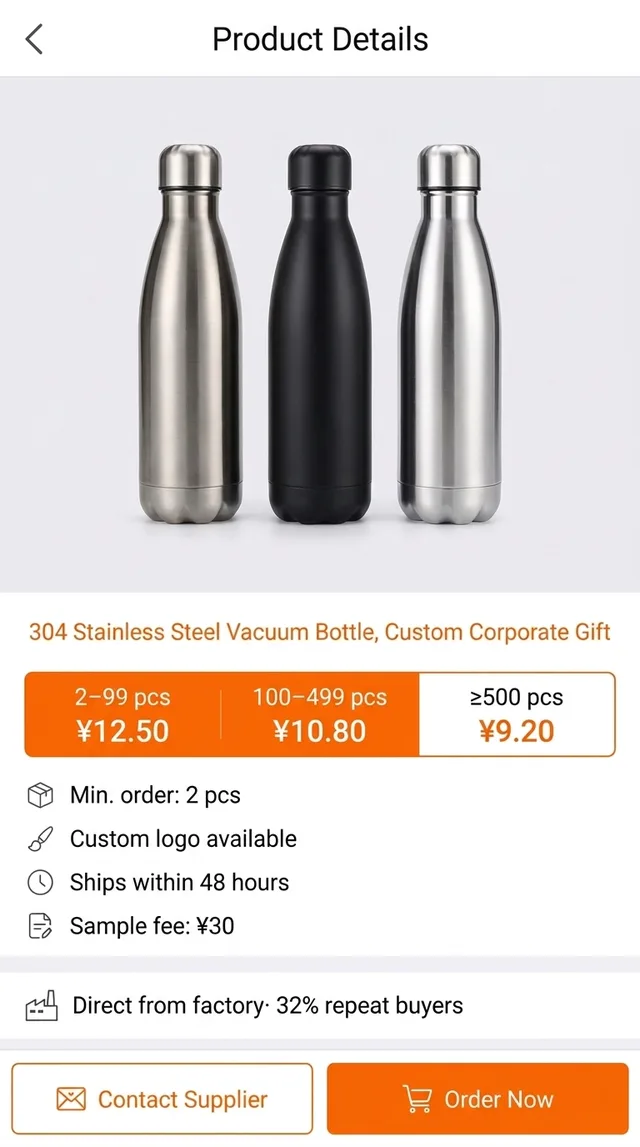
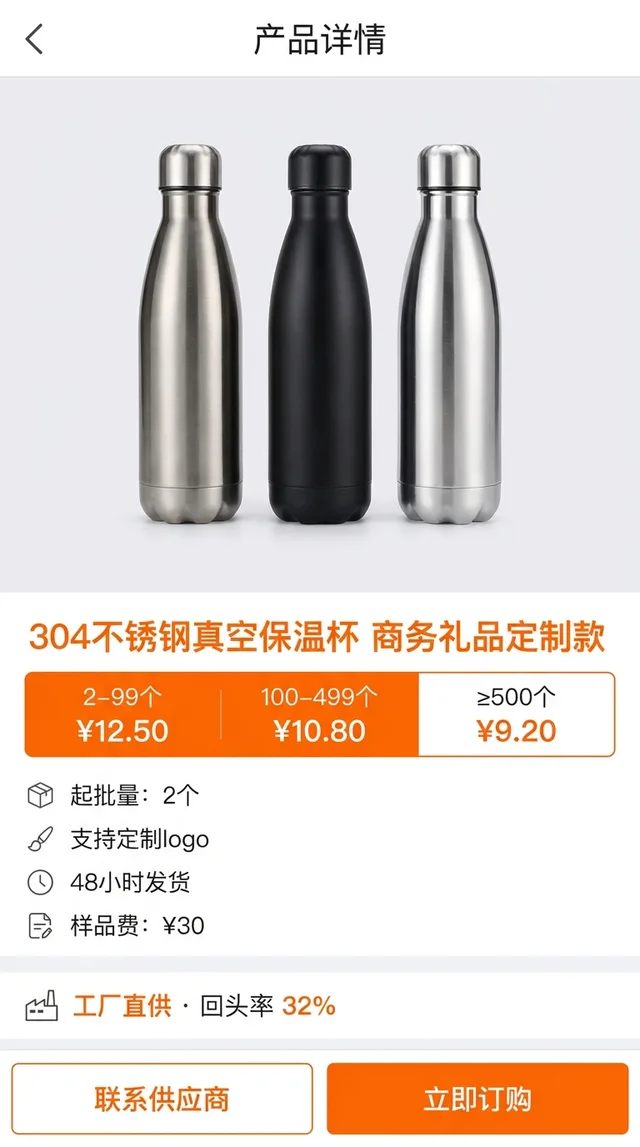
A Chinese wholesale listing underneath, the same page in English in the floating window
Text recognition runs on the phone, and only the recognized text goes to the cloud for translation. Because it reads whatever is visible, it treats app UI, web pages and text baked into product images the same way. It’s free to download; unlimited translation needs a Pro subscription.
Reading a 1688 supplier listing: tiers, MOQ and samples
Most listings follow the same layout, and the translated window makes each part scannable:
- Price tiers. The row of prices near the top is per unit, by order quantity. The headline price is usually the largest tier, not the one you’ll pay for a small first order.
- MOQ. 起批量 is the minimum quantity at those prices. Check whether it applies per style or across the whole order.
- Customization. 定制 and logo options often carry their own minimum and lead time, separate from the stock item.
- Shipping promise. “48小时发货” means dispatched within 48 hours. That is dispatch inside China, not delivery to you.
- Samples. A sample fee (样品费) buys one or a few units to check quality. Terms vary by supplier.
- The supplier row. Store name, years on the platform, badges and response rate. Tap through to the storefront and read the certifications and factory photos.
At the bottom sit 联系供应商 (contact supplier) and 立即订购 (order now). With the window open you’ll know which is which, but tap the second one only when you mean it.
The 1688 terms you’ll see on every listing
The floating window translates all of these, but machine translation renders some of them literally. Knowing them by sight speeds up comparing suppliers.
| Chinese | What it means for you |
|---|---|
| 起批量 | Minimum order quantity (MOQ) at the listed price |
| 混批 | Mixed batch: combine styles or colors to reach the minimum |
| 一件代发 | Dropshipping: the supplier ships single units on your behalf |
| 现货 | In stock, ready to ship |
| 定制 | Custom-made, e.g. your logo or packaging |
| 样品 | Sample |
| 包邮 | Free shipping, within mainland China |
| 实力商家 | A 1688 badge for established, verified suppliers |
A badge is a starting point, not a guarantee. Compare several suppliers of the same product before you shortlist one.
Supplier chat, money, and what translation can’t do
Chat is where the real terms get settled: whether the price includes the logo, how long custom orders take, what the sample costs and whether it’s refunded on a bulk order. The floating window lets you read a long thread without screenshotting it bubble by bubble.
The limits:
- It reads; it doesn’t write. Replies you compose yourself, in any text translator, or leave to your agent.
- Money and contracts need verification. Translation helps you understand the screen. Confirm quantities, unit prices, sample fees and delivery terms in writing with the supplier or your agent before you pay, and check the final amounts yourself.
- It trails the screen by a second or two. Scroll, pause, read.
- Tiny text in product images is the weak spot. Zoom into spec sheets until the characters are large.
Where this fits in your sourcing workflow
Read on 1688, shortlist suppliers, ask your questions in chat, order a sample, then hand the confirmed link and terms to whoever handles payment and shipping. The session doesn’t care which app is in front, so it also covers retail comparisons on Taobao in English and the rest of the Chinese apps you’ll run into. The general version is in translate your iPhone screen live.
PiP Translate is on the App Store. Read the tiers, the MOQ and the sample terms first, then decide who you’re buying from.
FAQ
Does 1688 have an English version?
1688 is built for buyers in mainland China, and its app and listings are in Chinese. Alibaba has tried overseas-facing options at times, so check the app's language settings and the website first, but supplier descriptions, product images and chat are whatever the supplier wrote, which is almost always Chinese. Alibaba.com is the English-language sister site for international trade.
Can I buy from 1688 as a foreigner?
Sometimes, but it is not designed for it. Registration, payment and shipping generally assume a mainland Chinese buyer and address, and many suppliers only ship domestically. Overseas buyers commonly use a sourcing agent or a freight forwarder for payment, inspection and international shipping. Check the current rules before you commit.
How do I translate the 1688 app on iPhone?
Start a screen broadcast from PiP Translate with Chinese set as the source language, then switch to the 1688 app. A floating Picture in Picture window shows the same screen in English as you scroll listings, price tiers and supplier chat. It does not change the 1688 app itself.
What does 起批量 mean on 1688?
起批量 is the minimum quantity you have to order at the wholesale price, the listing's MOQ. It usually sits next to the price tiers, which get cheaper as the quantity goes up.