Otome Games in English on iPhone: How to Play the Ones That Were Never Translated
Anyone who has typed “otome games English” into a search bar knows how it ends. A handful of official releases, a few more if you own a console, and then a very long list of games that exist only in Japanese, Korean or Chinese, with art you love and a story you can’t read.
On iPhone the gap is wider, because the phone catalogue moves fast and most of it is never exported. This is a rundown of every real route to playing otome games in English on an iPhone, including the ones that involve no app at all.
Every route to otome games in English, honestly ranked
1. An official localization. Always check this first. Search the game’s title in your own App Store and on the publisher’s site. Several otome publishers run English-language apps, and console visual novels get English releases more often than phone games do. A professional translation beats everything else in this article.
2. Fan translation patches. These are real and often lovingly made, but they are almost entirely a PC thing. A patch works by replacing files inside the game, which iOS does not let you do to an installed app.
3. Waiting. Sometimes a localization is announced years later. Often it isn’t. Phone games in particular can shut down their servers before anyone translates them.
4. Learning the language. The best long-term answer and the slowest.
5. Live screen translation. Reads the text off your screen while you play and shows it in your language. Rougher than a human translation, available today, and it works on any game. The rest of this article is mostly about doing this well.
Getting Japanese otome games on your iPhone at all
Before translation comes a more basic problem. Many Japanese otome games are published only on the Japanese App Store, and the same goes for Korean and Chinese titles in their home regions. Which storefront you see depends on the country or region your Apple Account is set to, so a Japan-only game shows up only for an account set to Japan. Apple’s support pages explain how regions work and what changing one affects, including subscriptions and payment methods. Read that before changing anything.
A fair number of games are released worldwide with Japanese as the only language. Those just download normally, and you’re straight to the reading problem.
Why a visual novel is the easiest thing to translate live
Screen translation struggles with fast, messy screens. A visual novel is the opposite:
- The text sits in one dialogue box, in the same place, for the entire game.
- The font is clean and a comfortable size, usually on a plain or semi-transparent panel.
- Nothing moves until you tap. A line will wait ten seconds or ten minutes.
An action game throws damage numbers and pop-ups around; an otome game shows you one tidy sentence and holds it still.
Using PiP Translate as an otome game translator
PiP Translate (App Store name: PiP Screen Translate) uses the one thing iOS allows to float over other apps, the Picture in Picture window. You start an iOS screen broadcast from the app, switch to your game, and a small window sits on top showing the same screen with the text translated. No screenshots, no leaving the game. It handles 100+ languages, so you aren’t limited to English. Set the source language to the game’s language (Japanese, Korean, Chinese) instead of leaving it on auto. It’s free to download; unlimited translation needs a Pro subscription.
 PiP Translate
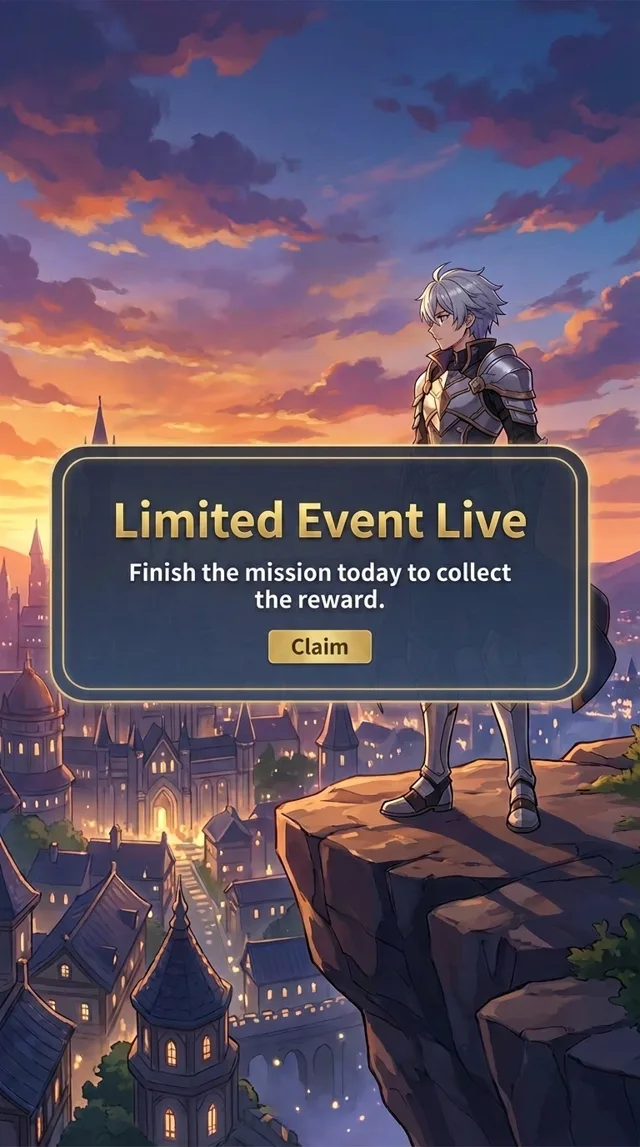
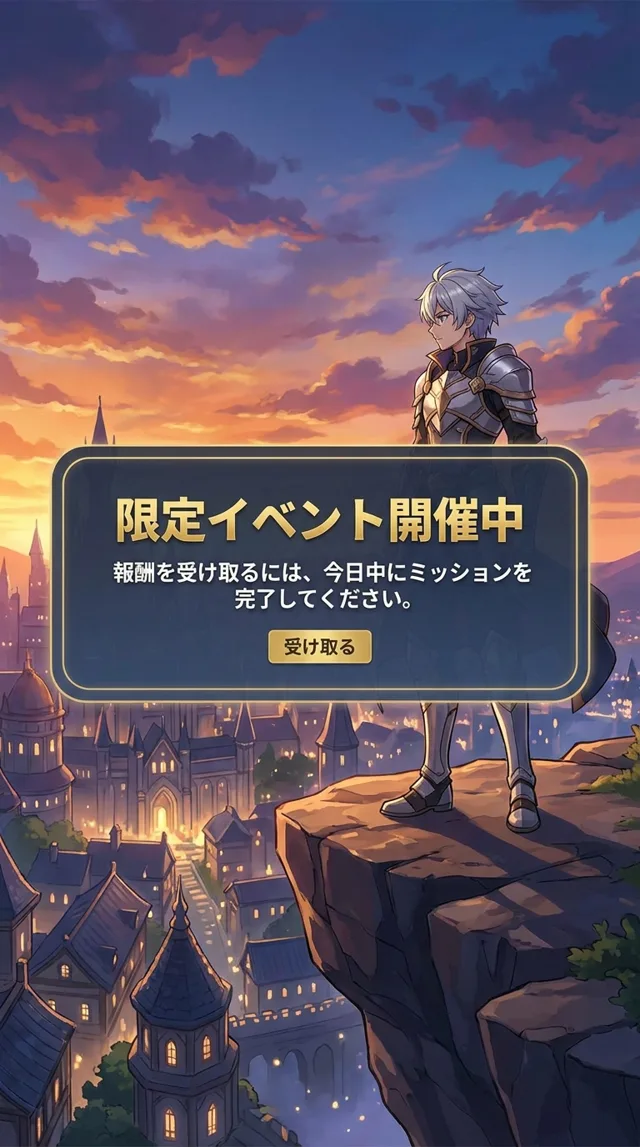
Japanese game text underneath, the same screen in English in the floating window
The app doesn’t patch the game, inject anything into it, or read its memory. It sees the screen through iOS’s own broadcast feature, which is the same information a screenshot would contain, and the game underneath runs untouched. What any particular game’s terms of service say about screen recording is between you and that game; we can’t speak for them.
Text recognition happens on the phone. Only the recognized text is sent out for translation.
Settings and habits that make it work
- Turn auto-advance off. Most visual novels have an auto mode that moves to the next line on a timer. The translation trails the screen by about 1–2 seconds, so let each line wait for your tap.
- Park the window above the dialogue box. Drag it to the upper part of the screen and pinch it to a size you can read. You want the original line and the translated one visible together.
- Landscape games: a top corner is the right spot. The dialogue box runs along the bottom, and the top corners are usually just background.
- At a choice, stop. Route branches are the one place a misread costs you hours. Give the window a moment to catch up, read every option, then tap.
- Use the backlog. The text log screen is a full page of clean text and translates well.
- Swipe the window off the edge for CGs and animated scenes, and pull it back when the text returns.
What a visual novel translator gets wrong
Machine translation of character-driven writing fails in predictable places.
- Names. Japanese names are built from ordinary words, so a love interest will occasionally be rendered as a noun. Learn what the cast’s names look like in the original and you’ll catch it at once.
- Honorifics and speech quirks. The shift from -san to a bare first name is a plot event in this genre. It may be dropped or translated literally. Verbal tics, dialects and archaic speech get flattened the same way.
- Wordplay. Puns arrive as literal nonsense. If a line makes no sense and everyone on screen is laughing, that was a pun.
- Stylized text. Title logos, handwritten letters, diary pages and decorative chapter cards are weak spots. Zooming in, where the game allows it, helps.
You will follow the plot and know who said what. You will not get the polish of a professional script, which is one more reason to buy the official version when one exists.
Untranslated otome games as a study tool
Because the window floats above the game, you see the original line and the translation in the same glance. For a learner that’s a useful arrangement: try the Japanese first, then check yourself against the window. Dialogue repeats its vocabulary constantly, and after a few chapters you stop needing the window for greetings and set phrases.
The same setup carries over to anything else on your phone. We’ve written about Japanese games in general, about reading raw manga before the translation is out, and about how live screen translation works on iPhone.
PiP Translate is on the App Store. Start with a game you’ve already finished in English, so you can judge the translation for yourself.