Dianping and Meituan in English on iPhone: How to Read Restaurant Pages, Deals and Delivery Menus
You are standing outside a noodle place in Beijing with twenty people ahead of you, and the Chinese app everyone around you is using says something about a number, a queue and a ¥98 deal. People searching for Dianping English or Meituan English usually want exactly that screen made readable, fast, before the table goes to someone else.
At the time of writing, both apps are Chinese-first. We’re not aware of a full English mode in the main Dianping or Meituan apps, but check the settings anyway and look for any international or visitor versions or mini-programs, which change often. Even then, reviews, menus and deal fine print are whatever the restaurant or diner typed, and that is Chinese.
Is there a Dianping English mode? Check first
Three quick checks before you reach for anything else:
- The app’s own settings. Look under your profile or 设置 (settings) for a language option. If one exists, try it, and expect Chinese leftovers in menus and reviews.
- The iOS per-app language. Open Settings, find the app in the Apps list, and look for a Language row. It only appears when the app ships with more than one language.
- Visitor and mini-program versions. Both companies have experimented with ways in for visitors, including versions inside other apps. These come and go, so search for the current one rather than trusting an old forum post.
If none of that gets you Dianping in English, you need to translate the screen itself.
Read the screen in a floating window
PiP Translate (App Store name: PiP Screen Translate) works like this: you start an iOS screen broadcast from the app, switch to Dianping or Meituan, and a Picture in Picture window floats over it showing the same screen with the text in English. Scroll a restaurant page or a delivery menu and the window follows along, a second or two behind.
Drag the window to a corner, pinch to resize it, or swipe it off the edge when it covers a button. The app underneath is untouched, so the buttons you tap are still the Chinese ones. Set Chinese as the source language instead of Auto; a wrong guess returns the text untranslated. Text recognition runs on the phone, and only the recognized text is sent for translation.
 PiP Translate
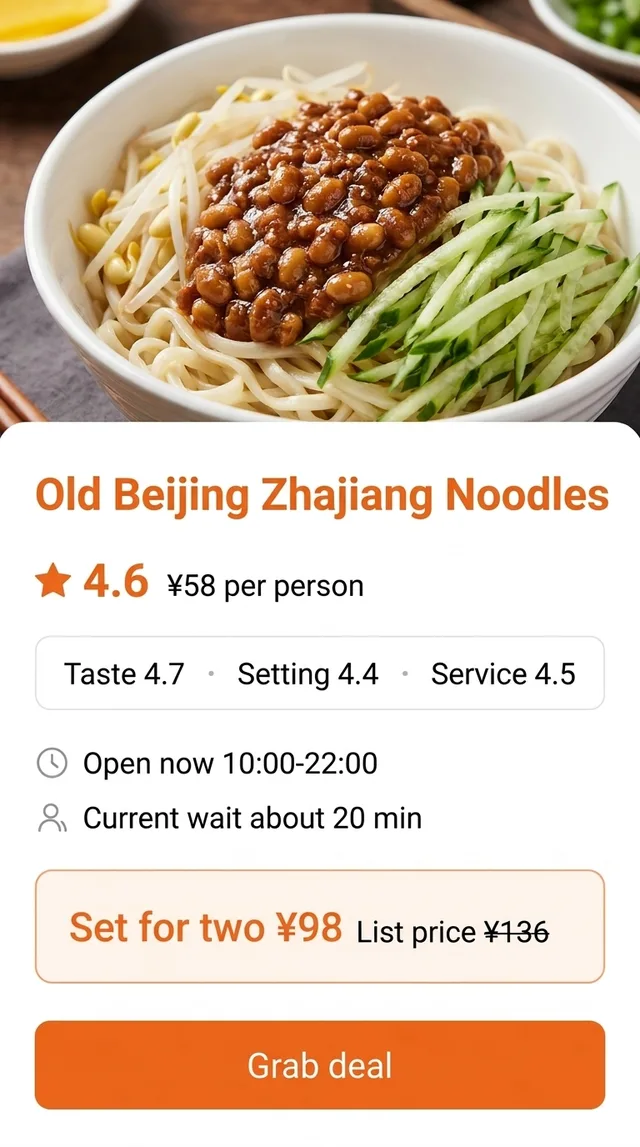
A Chinese restaurant page for a zhajiang noodle shop underneath, the same page in English in the floating window
Dianping in English: reading a restaurant page
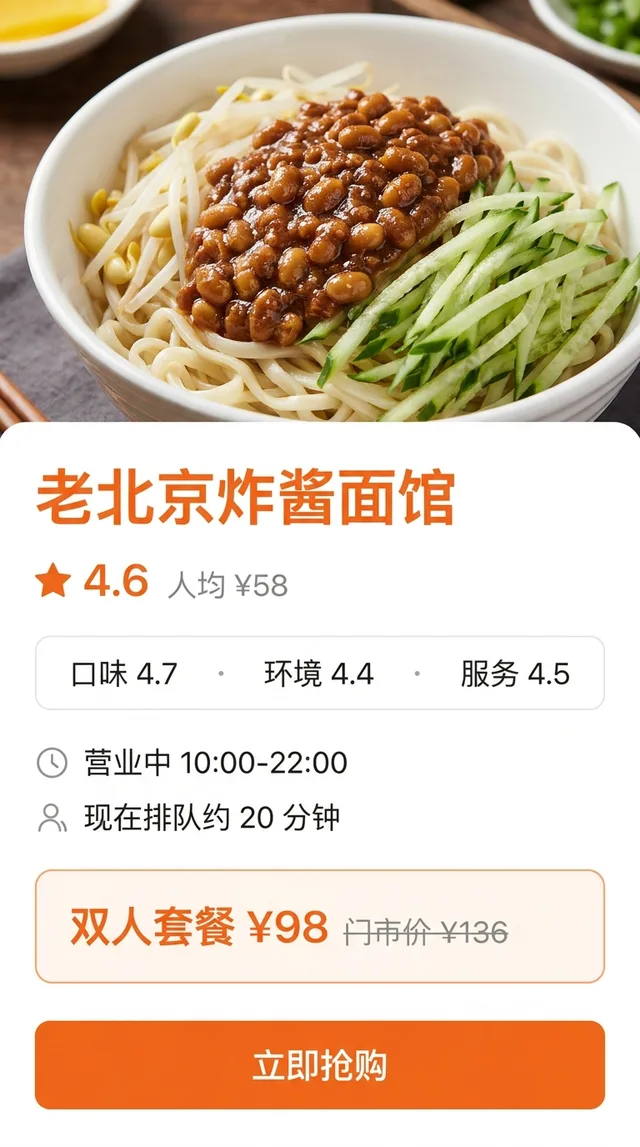
A Dianping restaurant page packs a lot into one screen. From the top:
- The star rating and sub-scores. The overall score sits next to separate scores for taste (口味), environment (环境) and service (服务). A place with great taste and a low environment score is usually a cramped local favourite, which may be exactly what you want.
- 人均. The average spend per person, based on what diners report. It is a rough guide, not a menu price.
- Opening status and hours. 营业中 means open right now; the hours sit next to it.
- Deals (团购). Prepaid vouchers you buy in the app and redeem at the restaurant, often a 套餐 (set meal) for two or four. The crossed-out 门市价 is the regular in-store price the deal is compared against. Read the deal’s own terms for which days it is valid, whether you need to book, and what is actually included.
- Queue numbers. Some restaurants let you 排队 or 取号 (join the queue or take a number) from the app and show the current wait.
- Reviews. Long, photo-heavy and very specific: which dish to order, which to skip, whether the portions are small. This is where the window earns its keep, because you can scroll through dozens instead of screenshotting one at a time.
Meituan in English: ordering food delivery
Meituan is the Chinese food delivery app most visitors run into, and its menus are dense with rules that decide what you actually pay:
- 起送. The minimum order before a restaurant will deliver. It usually sits near the delivery fee, so check both on the store page.
- Delivery fee. Shown per store, and it can change with distance and time of day.
- 满减. Spend-and-save discounts: spend over one amount, get another amount off. A store may stack several tiers, and some apply only to certain items.
- Rider chat. Messages and calls from the rider are in Chinese, usually about finding your door. The window lets you read them; replying is on you.
- Address entry. Delivery addresses are typed in Chinese, often with building and gate details. Copy your address in Chinese from a hotel booking or a local contact before you start.
Using a Chinese food delivery app in English this way works well for browsing, but check totals and discounts on the final checkout screen yourself. Discounts that looked applied on the menu do not always carry through, and the checkout screen is the one that counts.
Chinese terms you will see on both apps
| Chinese | What it means |
|---|---|
| 人均 | Average spend per person |
| 团购 | Group-buy deal: a prepaid voucher bought in the app |
| 套餐 | Set meal or package |
| 门市价 | Regular in-store price, shown crossed out next to a deal |
| 排队 / 取号 | Join the queue / take a queue number |
| 营业中 | Open now |
| 起送 | Minimum order for delivery |
| 满减 | Spend over a set amount, get money off |
Payment, setup and honest limits
Both apps generally rely on a phone number to sign up and on Chinese payment methods such as Alipay or WeChat Pay. What is available to visitors changes, so check the current options before you land hungry. Translation helps you understand the screen; it does not change what the app accepts, and it is not a substitute for reading the final amount yourself before you pay.
The floating window reads; it doesn’t write. It can’t type an address, fill in a form or reply to a rider in Chinese for you, and it won’t switch the app’s language. Some payment screens block screen capture, so the window may show a blank frame there. Tiny text on menu photos and decorative fonts are the weak spots; zoom in until the text is large.
It’s free to download; unlimited translation needs a Pro subscription.
Eating your way through the rest of China
Restaurant apps are one part of the trip. For maps, groceries and shopping without Mandarin, see the Chinese apps survival guide. If you are picking restaurants from lifestyle posts first, Xiaohongshu in English covers reading notes and comments, and Taobao in English handles shopping with the same floating window.
PiP Translate is on the App Store. Read the menu, check the deal, then get in the queue.
FAQ
Does Dianping have an English version?
We're not aware of a full English mode in the main Dianping app at the time of writing. Check the app's settings and your iPhone's per-app language first, and look for any international or visitor versions or mini-programs, since these change often. Reviews, menus and deal descriptions are written in Chinese either way.
Is Meituan available in English?
The main Meituan app is Chinese-first, and we're not aware of a full English mode at the time of writing. Check the settings and any visitor-facing versions, which change often. Restaurant menus, discount rules and rider messages will still be in Chinese.
Can I use Dianping or Meituan as a foreigner?
Often, but setup is the hard part. Both apps generally rely on a phone number for sign-up and on Chinese payment methods such as Alipay or WeChat Pay. What works for visitors changes, so check the current sign-up and payment options before you rely on either app.
How do I translate Dianping on iPhone?
Start a screen broadcast from PiP Translate with Chinese set as the source language, then open Dianping or Meituan. A floating Picture in Picture window shows the same screen in English as you scroll. It does not change the app itself, and it cannot type an address or a reply for you.